
Your Agent Works for Hours. Now You Can Too.
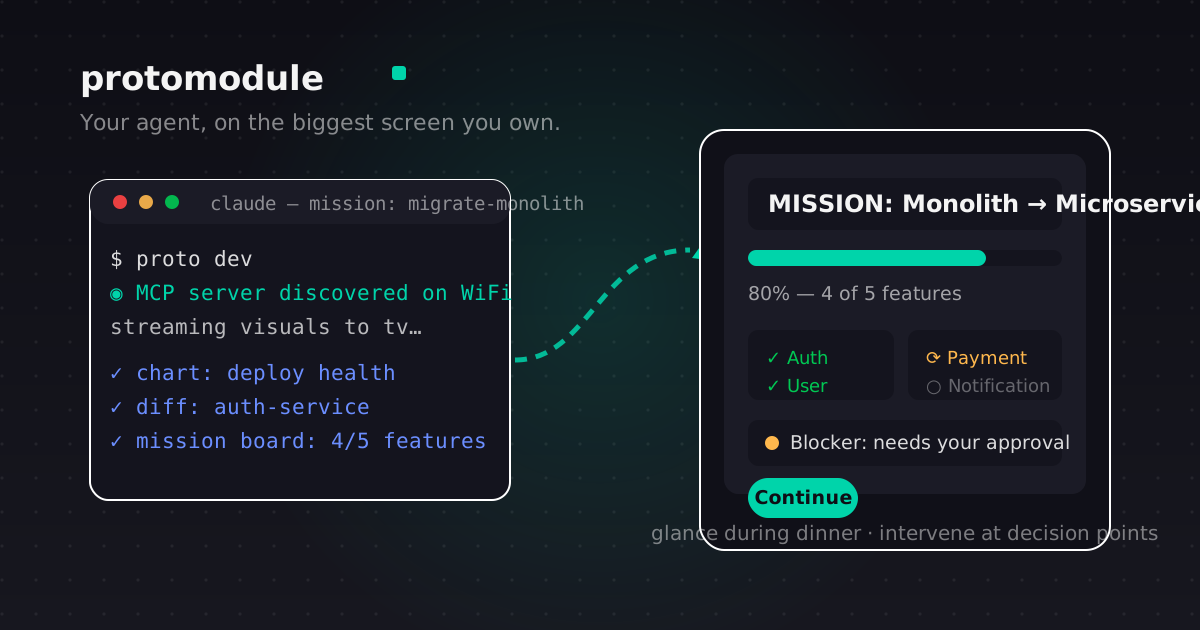
Your agent works for hours. It writes code, runs tests, deploys, debugs — while you're supposed to be doing other things. That's the whole point of an agent.
But here's the tension. You can't camp at the terminal the whole time. And you also can't leave, because what if it gets stuck? What if it makes a wrong decision?
So you hover. You check. You refresh. The hours your agent was supposed to give you back, you spend watching a terminal.
ProtoModule breaks that loop. A small device plugs into the back of your TV. Your agent — Claude or Codex — connects to it, and its work appears on the biggest screen in your home, in real time.
You lean back and watch. You glance during dinner. You intervene when it matters. The rest of the time, you live your life.
The hours come back
The real product isn't a screen. It's the time you stop spending hunched over a laptop.
With your agent's work on the TV, you can actually leave the desk. Cook dinner. Take the dog out. Put the kids to bed. The work is still visible — bigger and clearer than it ever was on a 14-inch window — and it's still there when you get back.
You're not abandoning the work. You're just no longer chained to it.
Problems surface early, not at 2am
The expensive failure mode isn't the agent being slow. It's the agent being wrong for an hour while you assume everything is fine.
On the TV, you see the work as it happens. A test suite going red. A build that stopped making progress. A decision point that needs a human. You catch it in minutes, not hours — and you fix it while the context is still fresh.
That's the difference between an agent that saves you time and an agent that costs you a night.
The runtime behind that visibility is designed to stay stable while code and data change continuously. SideSpin's article on Live Code-Data Fusion goes deeper into the parent-company research behind it.
More done, with less effort
The TV you already own becomes a second monitor for your agent — no new hardware beyond the stick, no subscription, no cloud account.
One device. The screen you already have. Your existing tools. The result is the same work, finished faster, because you're not the bottleneck anymore.
Greener than a second computer
No new desktop, no new tablet, no second laptop. ProtoModule is a stick, not a screen. It adds capability to the display already on your wall, and adds nothing to the pile of devices made to be replaced.
Every new computer is a new LCD panel: hundreds of chemicals, loosely sealed, persistent, released at every stage of its life. When it dies, it can't be recycled easily — no industrial-scale process exists, and the economics don't work. Reusing the screen you have is the single biggest environmental decision ProtoModule makes. Your TV has years of life left. A TV that becomes an agent's canvas stays in service because it's useful again. One fewer display per use case, and one fewer working screen heading to a landfill before its time.
The canvas you already own
Your TV is sitting dark right now. ProtoModule gives it a job: show the work that matters, at a scale you can actually read, on your schedule.
Your agent works for hours. Now you can too.